
AgentTesla FTP Exfiltration: A PCAP Walkthrough
Published: June 10, 2026
On 3 February 2026, malware-traffic-analysis.net published a capture from a Windows infection that runs a depressingly familiar playbook: a phishing email carrying a RAR attachment, a GuLoader downloader hidden inside it, and AgentTesla as the final payload — pulled down from Google Drive and turned loose to steal credentials. The twist in this sample is the exfiltration channel. Instead of SMTP or HTTPS, the stealer ships its loot out over plain, unencrypted FTP. By the time the 132-second capture 2026-02-03-GuLoader-for-AgentTesla-style-infection-with-FTP-data-exfil2.pcap gets interesting, the email is open and the malware is running. What is left on the wire is the part the attacker cannot hide — the call-out to fetch the payload, and the data leaving the building. This is that capture triaged the way we would in an incident, and what PcapAI flagged from it automatically.
The chain behind the capture: GuLoader, AgentTesla, FTP
Three names, three jobs. GuLoader is a downloader — a small, heavily obfuscated first stage whose only purpose is to fetch the real payload from a legitimate cloud host so it sails past reputation filters. AgentTesla is the payload: a long-lived .NET info-stealer that scrapes browser logins, mail clients, and keystrokes. FTP is how this build gets the stolen data out. The source write-up documents the lure that starts it all — a “SHIPPING DOC || INVOICE” email from shipping@paramee[.]com with a RAR attachment, inv. 5234353.rar, that unpacks the GuLoader stage.
The packet capture picks up at the hand-off, and that framing matters: the capture will not show you the email or the RAR. It shows you what the running malware does next. Two of those behaviors survive into the traffic, and both are loud — AgentTesla checks the victim’s public IP, then authenticates to an FTP server and uploads. Let us find them.
What is in the capture
Six assets, one of them doing all the interesting work: 10.2.3.101, a Hewlett-Packard endpoint (MAC 00:08:02:1c:47:ae) sitting behind a Netgear gateway and resolver at 10.2.3.1. The trace runs 2.2 minutes, is 100% TCP, and sends 100% of its external bytes to the United States. Short, clean, and — as the analysis makes clear — not benign.
Capture
132 seconds · 6 assets · 100% TCP. SHA-256 d8d452e9…92003d.
Findings
T1040 cleartext FTP credentials · T1048.003 unencrypted-FTP exfiltration · posture CRITICAL.
PcapAI’s executive summary names the breach in a sentence: an active compromise on 10.2.3.101 involving the theft of cleartext credentials and ongoing data exfiltration. Two critical detections sit under it — credential exposure and FTP exfiltration — tied together by a confirmed root-cause chain.
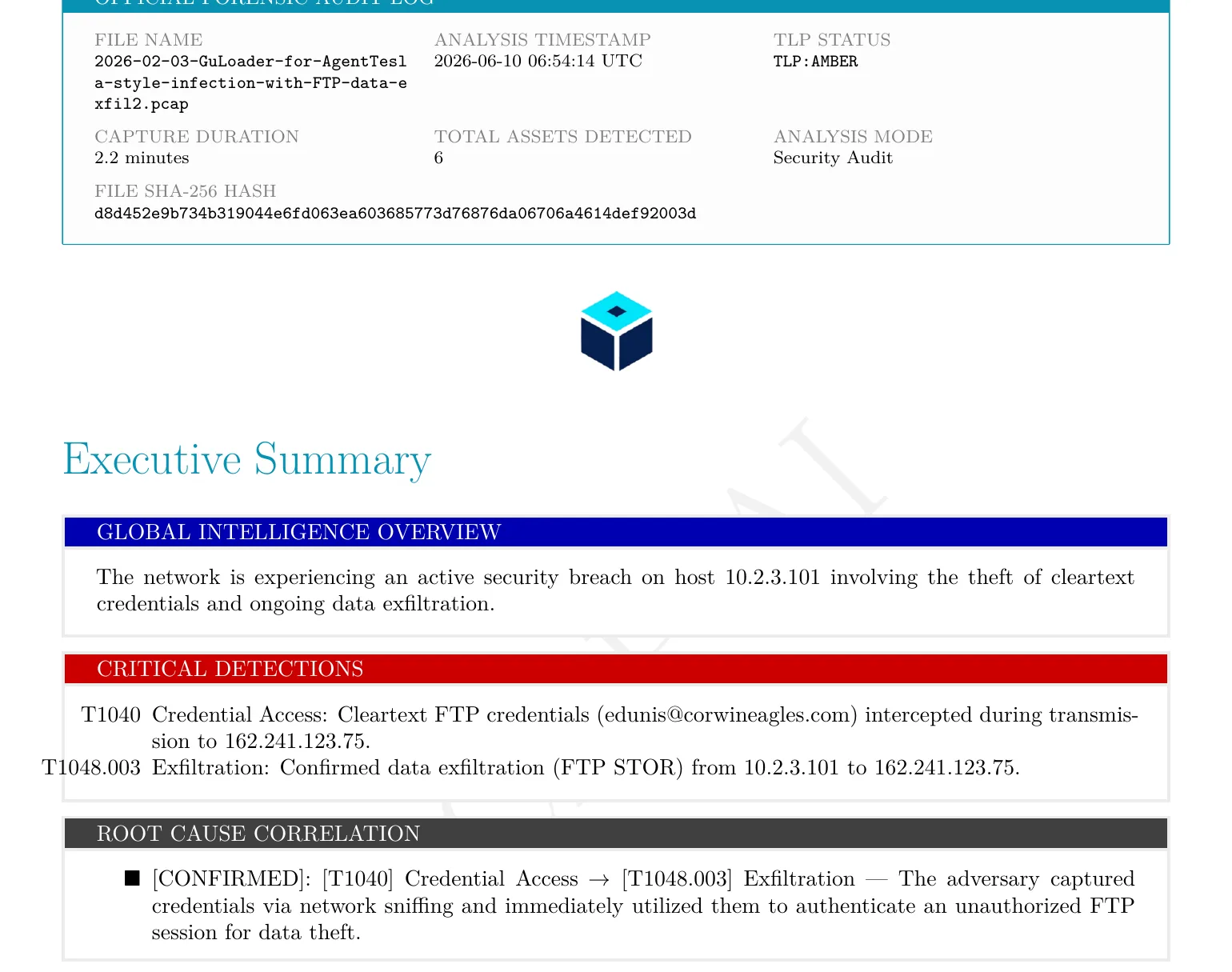
The forensic audit log and executive summary: capture metadata, the two critical detections, and the confirmed credential-access → exfiltration chain.
The shape of the attack
Before the individual findings, look at the timeline — it is the first thing that orients an investigation. PcapAI plots the two techniques against the 132-second clock, and the ordering is the entire story: Network Sniffing [T1040] fires at the very start, and Exfiltration [T1048.003] follows seconds behind it. Credentials exposed, then immediately used.
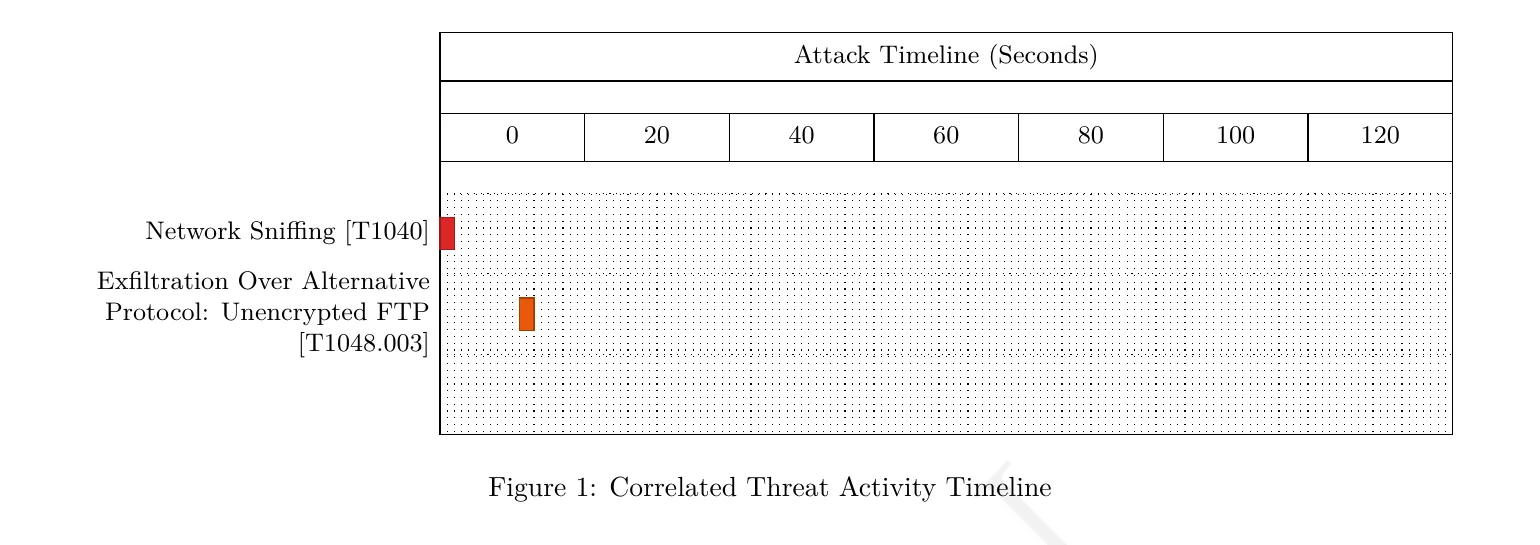
Correlated timeline: the cleartext-credential exposure (T1040) and the FTP exfiltration (T1048.003) land back-to-back in the first seconds of the capture.
The traffic volume matches that shape. It is spike-driven: a heavy first ten seconds — about 283 KB, the Google Drive payload pull — then a short secondary surge of roughly 5.8 KB of FTP between T+10s and T+40s, then near silence for the rest of the capture. Two bursts, two purposes. Here is the evidence for each.
Step 1 — the payload pull, and an IP check that gives it away
The first ten seconds are dominated by HTTPS to Google: drive.usercontent.google.com (142.251.186.132) and drive.google.com (142.250.115.138), both in Google’s AS15169, about 276 KB over TLS 1.2. On its own that is indistinguishable from someone syncing a folder — which is exactly why GuLoader stages the AgentTesla payload on Google Drive. A raw IP would draw attention; drive.google.com over TLS does not.
The tell is what sits next to it. There is a single, tiny HTTP request to ip-api.com (208.95.112.1) — just 865 bytes — to the path /line/?fields=hosting. A normal workstation does not ask a third-party API what its own public IP and hosting status are. Info-stealers do, routinely: it fingerprints the victim’s network and lets the malware skip analysis sandboxes and hosting ranges before it commits to exfiltration. Four DNS lookups cover the whole capture — drive.usercontent.google.com, ip-api.com, drive.google.com, and ftp.corwineagles.com — and that fourth name is the one that tells you where this is going.
Step 2 — cleartext FTP credentials on the wire (T1040)
The host opens an FTP control session to 162.241.123.75 — ftp.corwineagles.com, a US shared-hosting box on UNIFIEDLAYER-AS-1 (AS46606) — and sends its login in the clear. FTP carries its USER and PASS commands as plain ASCII, so the account edunis@corwineagles.com and its password are sitting in the packet bytes for anyone on-path to read. PcapAI lifts the credential straight out of the PASS command and flags it as a confirmed, live credential exposure — mapped to T1040 (Network Sniffing), because the very fact that the password is recoverable from the wire is the exposure.
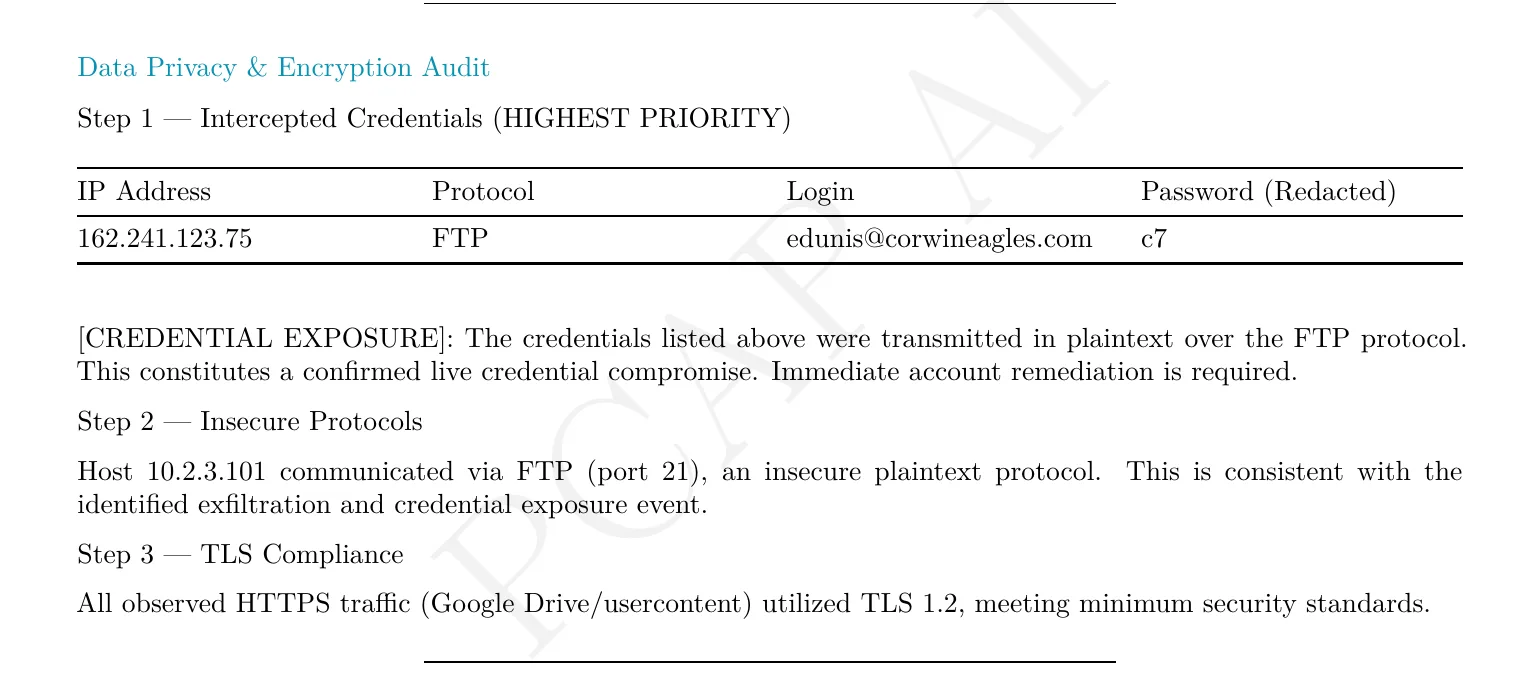
Straight from the report: the FTP login edunis@corwineagles.com recovered in cleartext, a confirmed live credential compromise.
This is the worst kind of compromise to find after the fact: the credential is not merely stolen from the host, it is broadcast across the network on its way out. In Wireshark the same evidence is one filter away — ftp.request.command == "PASS" — and anyone passively sniffing the segment, the attacker included, now holds a working login.
Step 3 — data leaving over unencrypted FTP (T1048.003)
With the session authenticated, the malware issues STOR — the FTP upload command — and pushes data from 10.2.3.101 up to the same server. That is the exfiltration, and PcapAI maps it to T1048.003, Exfiltration Over Alternative Protocol: Unencrypted FTP. The volume is modest in this sample, but the direction and method are not ambiguous: an internal endpoint authenticating to and uploading files to an external FTP server it has no business talking to.
The FTP flow is also, tellingly, the unhealthiest connection in the capture — 36.84% TCP retransmission at about 89 ms RTT. The report does not write that off as a flaky link; it tags the flow Security-Impacted, because the packet loss tracks the malicious session specifically rather than the network as a whole. The hunt for it is the mirror of Step 2: ftp.request.command == "STOR".
The metric that would have fooled you
Here is where a naive glance goes wrong, and where correlation earns its keep. PcapAI’s encryption summary reads 98% encrypted, 2% plaintext, verdict “Good.” Taken as a headline, that says healthy network — nearly everything is TLS. But the entire breach lives in that 2%. The 98% is the Google Drive payload pull; the 4.6 KB of plaintext is the FTP credential and the data leaving over it.
A volume-first triage — or a control that only alarms on large outbound transfers — waves this capture straight through. What makes the analysis right is that it does not score on bytes. It pulls the two plaintext findings out of the noise and correlates them: credentials exposed (T1040), then used to exfiltrate (T1048.003). The small flow is the dangerous one, and “mostly encrypted” is exactly the cover an FTP-exfil build like this is counting on.
The verdict
Stacked together: Security Risk 50/100, Network Issues 20/100, Shadow-IT Risk 75/100, overall posture CRITICAL. The Shadow-IT score is the one worth dwelling on — it is high precisely because a managed endpoint is authenticating to an unmanaged external FTP server, which is the exfiltration path. And more useful than any single number is the chain PcapAI draws between the findings: this is not two unrelated alerts, it is one kill chain — harvested credentials feeding an active upload.
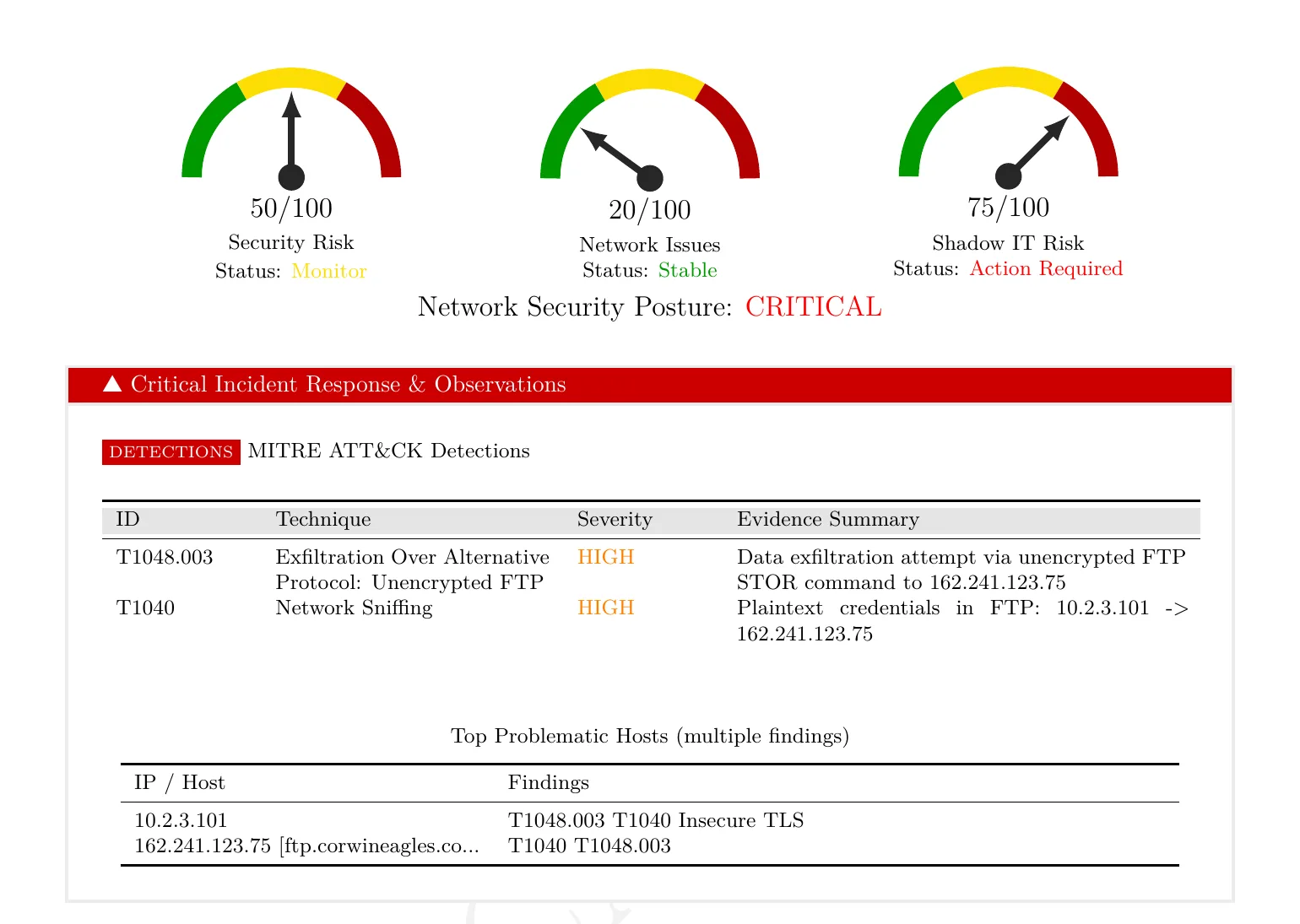
Executive risk dashboard and MITRE ATT&CK detections — both findings pinned to 10.2.3.101 and the FTP server ftp.corwineagles.com.
The remediation writes itself, and the report spells it out: isolate 10.2.3.101 now; block egress to 162.241.123.75 and shut outbound FTP (TCP/21) at the perimeter; force a reset on edunis@corwineagles.com — and because that password crossed the wire in cleartext, treat it as compromised everywhere it is reused, not just on this host. Then image the endpoint for the GuLoader/AgentTesla dropper.
Indicators of compromise
From this public sample — treat infrastructure as historical, since it rotates quickly. The first group is on the wire in the capture; the second is campaign context from the source write-up.
| Indicator | Type | Notes |
|---|---|---|
| 10.2.3.101 | Victim host | Hewlett-Packard, MAC 00:08:02:1c:47:ae |
| 162.241.123.75 | FTP exfil server | ftp.corwineagles.com · US, UNIFIEDLAYER-AS-1 (AS46606) · FTP/21, STOR upload |
| edunis@corwineagles.com | Credential | FTP login captured in cleartext — treat as compromised |
| ip-api.com/line/?fields=hosting | IP-check URL | 208.95.112.1 · victim public-IP / sandbox fingerprinting |
| drive.google.com · drive.usercontent.google.com | Payload host | Google AS15169 · AgentTesla pulled over TLS, ~276 KB |
| d8d452e9…92003d | SHA-256 | Source PCAP |
| shipping@paramee[.]com | Sender (campaign) | “SHIPPING DOC || INVOICE” lure · sender IP 160.250.132.142 |
| inv. 5234353.rar | Attachment (campaign) | SHA-256 9fc244b6…0e0e331 · unpacks GuLoader stage |
| b7d239db…0021ecb4 | SHA-256 (campaign) | GuLoader executable |
Catch it in your own captures
You will not see corwineagles.com again — the infrastructure is already burned. The behaviors, though, generalize, and each is a one-line hunt:
- Cleartext FTP authentication.
ftp.request.command == "USER" || ftp.request.command == "PASS"surfaces every plaintext login in the capture. On a modern network there should be almost none — each hit is a credential exposed and a host worth a look. - FTP uploads to the outside.
ftp.request.command == "STOR"with an external destination is an internal host pushing files off the network over a protocol no business app should be using for that in 2026. - Public-IP lookups from an endpoint. Requests to
ip-api.com,ipinfo.io,checkip.…and friends are normal for servers, suspicious for a workstation — stealers use them to fingerprint the victim before exfil. - A small plaintext flow under a big encrypted one. Do not let “% encrypted” lull you. Sort by protocol, not by bytes; the dangerous traffic here was 2% of the capture.
Doing this by hand on every capture is the job. Doing it in under five minutes on every capture is the point of automating it — PcapAI runs these checks and 50+ others, maps each hit to its MITRE ATT&CK technique, recovers exposed credentials, and hands back a PDF you can attach to the ticket.
Frequently Asked Questions
What is the GuLoader and AgentTesla combination?
GuLoader is a small, obfuscated downloader that fetches a second-stage payload from a trusted cloud host — here, Google Drive — to evade reputation filters. AgentTesla is that payload: a .NET information-stealer that harvests browser logins, mail credentials, and keystrokes. In this sample the pair is delivered by a phishing email with a RAR attachment, and the stolen data is exfiltrated over FTP.
How does AgentTesla exfiltrate data over FTP?
AgentTesla supports several exfiltration channels, including SMTP, HTTP, and FTP. In the FTP build, it opens a control session to a hard-coded server, authenticates with USER/PASS, and uploads the stolen data with STOR. Because classic FTP is unencrypted, both the login and the upload are visible in a packet capture — MITRE ATT&CK T1048.003, Exfiltration Over Alternative Protocol.
Can you recover stolen credentials from a PCAP?
When the protocol is plaintext, yes. FTP, Telnet, and unencrypted HTTP carry usernames and passwords as readable ASCII, so the credential is literally in the packet bytes. In this capture the FTP login edunis@corwineagles.com is recovered directly from the PASS command and flagged as a confirmed live credential compromise (T1040).
Which MITRE ATT&CK techniques appear in this capture?
Two, and they are correlated into one chain: T1040 (Network Sniffing) for the cleartext FTP credential exposed on the wire, and T1048.003 (Exfiltration Over Alternative Protocol: Unencrypted FTP) for the STOR upload to the external server. The credential exposure feeds the exfiltration — harvested, then used, seconds apart.
Real-world detections
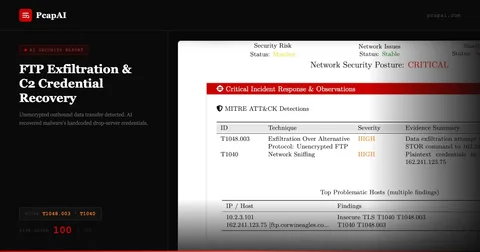
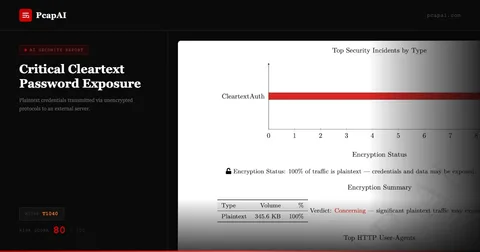
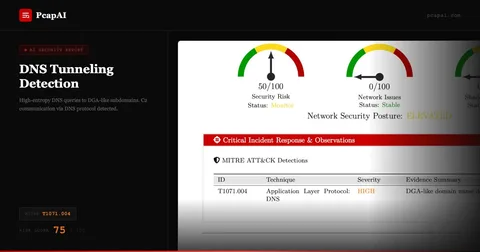
Have a Capture with Suspicious FTP or Exfiltration?
Upload your PCAP and get a MITRE-mapped forensic PDF — cleartext credentials, FTP uploads, and beaconing flagged automatically, in minutes.