
10 Essential Insights Every PCAP Analysis Report Needs
Published: March 26, 2026
10 Essential Insights Every PCAP Analysis Report Needs
PCAP files contain all the evidence needed to reconstruct a network incident — but raw packet data is useless without proper synthesis. Security teams that settle for protocol charts and IP lists miss the most critical parts of the story.
A truly "pro" analysis report should do the heavy lifting for the analyst. It should bridge the gap between technical data and business risk. If your current reporting process doesn't provide the following 10 insights, you are likely missing the most critical parts of the story.
Executive Risk Score
An investigation shouldn't start with a packet; it should start with a verdict. Every report needs a high-level Risk Score (Critical, High, Medium, Low). This allows SOC managers to prioritize their queue at a glance. If a capture shows clear signs of data exfiltration, the report should scream "Critical" before the analyst even scrolls down.
Geometric Traffic Distribution (The "Top Talkers")
Visualizing the volume of data is essential for spotting anomalies. A high-quality report must include a breakdown of the "Top Talkers."
Insight: If a single internal workstation is responsible for 90% of the outbound traffic to an unknown external IP, you've likely found your "Patient Zero" or a compromised host in the middle of a data dump.
Protocol Hierarchy & Anomaly Detection
Standard protocol breakdowns are common, but the insight lies in the anomalies.
The "What to Look For": Non-standard protocols running over common ports (e.g., SSH over port 443) or an excessive volume of a specific protocol like ICMP, which could indicate tunneling or covert channels.
Geographical Mapping (GeoIP Intelligence)
Where is your data going? Mapping connections to their physical jurisdictions is one of the fastest ways to identify suspicious activity.
Insight: A connection to a known high-risk jurisdiction or a country where your business has no customers or employees should be automatically flagged for immediate review.
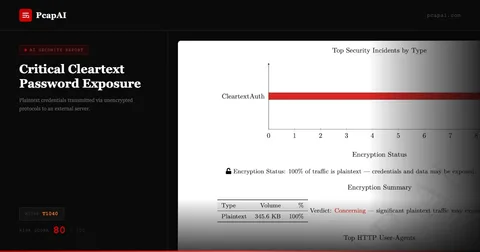
Plaintext Credential & Sensitive Data Analysis
Despite the move toward universal encryption, plaintext leaks still happen—especially in legacy systems or misconfigured IoT devices.
Insight: Your report should automatically scan for and alert on unencrypted sensitive data (Telnet, FTP, HTTP Basic Auth) to identify "low-hanging fruit" for attackers.
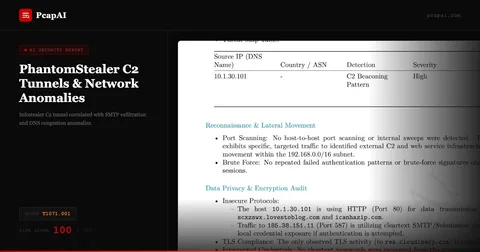
Beaconing & C2 Pattern Recognition
Attackers use Command & Control (C2) servers that check in at regular intervals. These "beacons" are often designed to be "low and slow" to evade detection.
Pro Tip: Look for periodic traffic patterns where the time-to-live (TTL) and packet sizes are nearly identical over a long duration. Automated AI analysis is significantly better at spotting these mathematical patterns than the human eye.
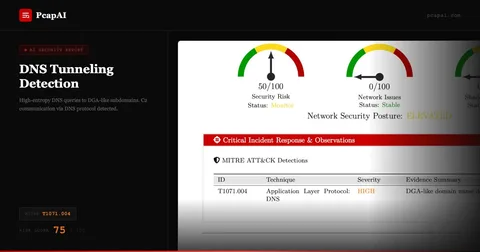
DNS Intelligence & DGA Detection
DNS is the "phonebook" of the internet, and attackers abuse it constantly.
Insight: A report should highlight DNS queries to domains that look like random strings (Domain Generation Algorithms). Flagging high volumes of NXDOMAIN (Non-Existent Domain) responses can also reveal a malware's attempt to find its home server.
TLS/SSL Fingerprinting
Encrypted traffic isn't a "black box" if you know how to look at the handshake.
Insight: Identifying outdated versions (SSLv3, TLS 1.0) or self-signed certificates is crucial. Furthermore, tools that use JA3 Fingerprinting can identify the specific type of client or malware initiating the connection, even without decrypting the payload.
The Behavioral Timeline
An incident is a story with a beginning, middle, and end. A list of packets doesn't tell that story, but a chronological timeline does.
Insight: "At 10:01, the host performed a DNS query. At 10:02, a TCP handshake was established. At 10:05, 500MB of data was moved." This narrative approach helps analysts reconstruct the attacker's "Motive, Means, and Opportunity."
Actionable Remediation Roadmap
A report that ends without "Next Steps" is an unfinished job. The final and most important insight is a list of specific, prioritized recommendations.
Insight: Instead of "Fix the network," a great report says: "Block IP 185.x.x.x, reset credentials for User J. Doe, and update the WAF rules for the /api/v1/upload endpoint."
The Value of Standardization
Standardizing your reports around these 10 insights does more than just catch threats; it improves your team's defensibility. Whether you are presenting to a board of directors or submitting evidence for a legal audit, a consistent, deep-dive PDF report shows that your organization follows a rigorous, scientific approach to security.
Automate All 10 Insights with PcapAI
Extracting all 10 of these insights manually takes 4–6 hours per PCAP file. PcapAI automates every step: risk scoring, GeoIP mapping, beaconing detection, TLS fingerprinting, credential exposure, DNS entropy analysis, and remediation generation. Upload a .pcap file and receive a PDF with all 10 sections in under 60 seconds. See AI-powered PCAP analysis or review pricing for team plans.
Frequently Asked Questions
What is an executive risk score in a PCAP report?
An executive risk score is a top-level severity label (Critical, High, Medium, Low) generated by analyzing all detected threats in a PCAP file. It lets SOC managers triage their incident queue instantly — before reading a single packet detail — by conveying overall threat severity in a single data point.
How does beaconing detection work in PCAP analysis?
Beaconing detection identifies traffic that communicates with external hosts at regular, predictable intervals — a pattern common to C2 malware like Cobalt Strike (MITRE T1071). PcapAI measures inter-packet timing, destination entropy, and payload sizes to flag beaconing behavior that would be invisible in a standard Wireshark export.
Why include a remediation roadmap in a PCAP report?
A remediation roadmap transforms a forensic report from a passive document into an active playbook. Instead of reading findings and deciding what to do, analysts work through a prioritized checklist. This reduces mean-time-to-respond (MTTR) and provides defensible documentation for compliance audits under PCI-DSS, HIPAA, or SOC2.
Can PcapAI detect TLS fingerprinting and DGA domains?
Yes. PcapAI computes JA3 hashes on TLS handshakes and compares them against a threat intelligence database to identify malicious clients (Cobalt Strike, Metasploit, custom RATs). For DNS, it calculates domain entropy scores to detect algorithmically generated domains (DGAs) used by botnets to evade blocklists.
Real-world detections
Get All 10 Insights from Your Next PCAP
PcapAI automatically generates all 10 report sections — risk score, GeoIP, beaconing, TLS fingerprints, credentials, DNS intelligence, and remediation roadmap — in under 60 seconds.