The Challenge: Proving Controls to an Auditor
PCI DSS assessors and ISO 27001 auditors don't accept a firewall rule as proof. They want evidence at the packet level — definitive confirmation that encryption-in-transit is enforced, that unauthorized tools aren't running on the internal network, and that sensitive data isn't leaking across unprotected protocols.
Getting that evidence manually means digging through gigabytes of raw PCAP files, writing custom Wireshark filters for each control, and correlating findings back to specific framework requirements — a process that can take days and still leave gaps an auditor will find.
Auditors ask whether a known vulnerability such as Heartbleed (CVE-2014-0160) was probed or exploited. Answering takes packet-level evidence: the source, the target and the exact frames, found by hand among thousands of TLS sessions.
Proving strong cryptography in transit for PCI DSS Requirement 4.2.1 means checking the negotiated TLS version of every session. One server still selecting TLS 1.0, or one cleartext login, becomes a finding.
The Solution: Automated Regulatory Mapping
PcapAI acts as an automated forensic auditor for your network traffic. Upload a capture and our deep packet inspection engine instantly identifies active threats, validates encryption status, and lists the controls each finding touches — the ones your auditor will ask about.
-
✦
MITRE T1190 (Exploit Public-Facing Application): in the sample report,
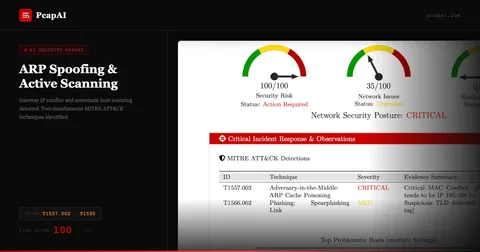
192.168.11.1sent Heartbleed probes (CVE-2014-0160) to the TLS service on192.168.11.128— a Critical finding with the source, the target and the frames as evidence. - ✦ Controls to Review, per Framework: each finding lists the controls it touches. In the sample, 23 controls across PCI DSS v4.0.1 (2.2, 4.2.1, 6.3, 11.3, 12.10), NIST 800-53 (CM-6, CM-7, SC-8, IR-4, RA-5, SI-2), ISO 27001 and CIS v8.1. The report names controls to review; it does not issue a compliance verdict. ISO 27001, NIST 800-53 and CIS appear in every report; PCI DSS controls are added when your account's sector is a cardholder-data environment.
-
✦
Encryption-in-Transit Checks: flags servers that select TLS older than 1.2 (in the sample,
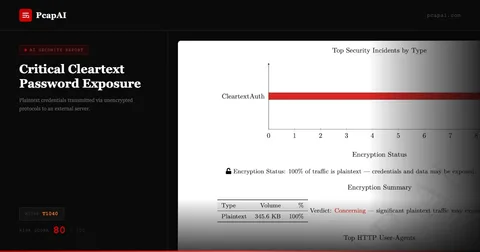
192.168.11.128) and every cleartext login — HTTP Basic, FTP, Telnet, mail — before an auditor does. - ✦ Auditor-Ready PDF Report: a Controls Review with an executive summary, control-mapped findings, a remediation roadmap and evidence integrity (SHA-256), labelled with the TLP level from your report settings.
Wireshark Manual Analysis vs. PcapAI
Manual (Wireshark)
Filtering tls.handshake.version and heartbeat records session by session, listing the affected servers, cross-referencing each one with PCI DSS and NIST controls. Process takes 1–3 hours.
PcapAI
Automated TLS and cleartext-login checks, exploit and scanner detection, and direct mapping to PCI DSS, NIST 800-53, ISO 27001 and CIS controls. Free summary in about two minutes for captures up to 20 MB.
How It Works
Upload Your PCAP
Drop any .pcap or .pcapng from a firewall, core switch, or network tap. No installation, no account required.
PcapAI Checks Every Session
Our engine checks TLS versions and cleartext logins, flags probed or exploited services and unauthorized scanners, and maps each finding to PCI DSS, NIST 800-53, ISO 27001 and CIS controls.
Hand the Report to Your Auditor
Get a PDF with control-mapped findings, a risk score and masked credentials, labelled with the TLP level you choose — ready to attach to the audit file.
Frequently Asked Questions
How do you detect sqlmap in a packet capture?
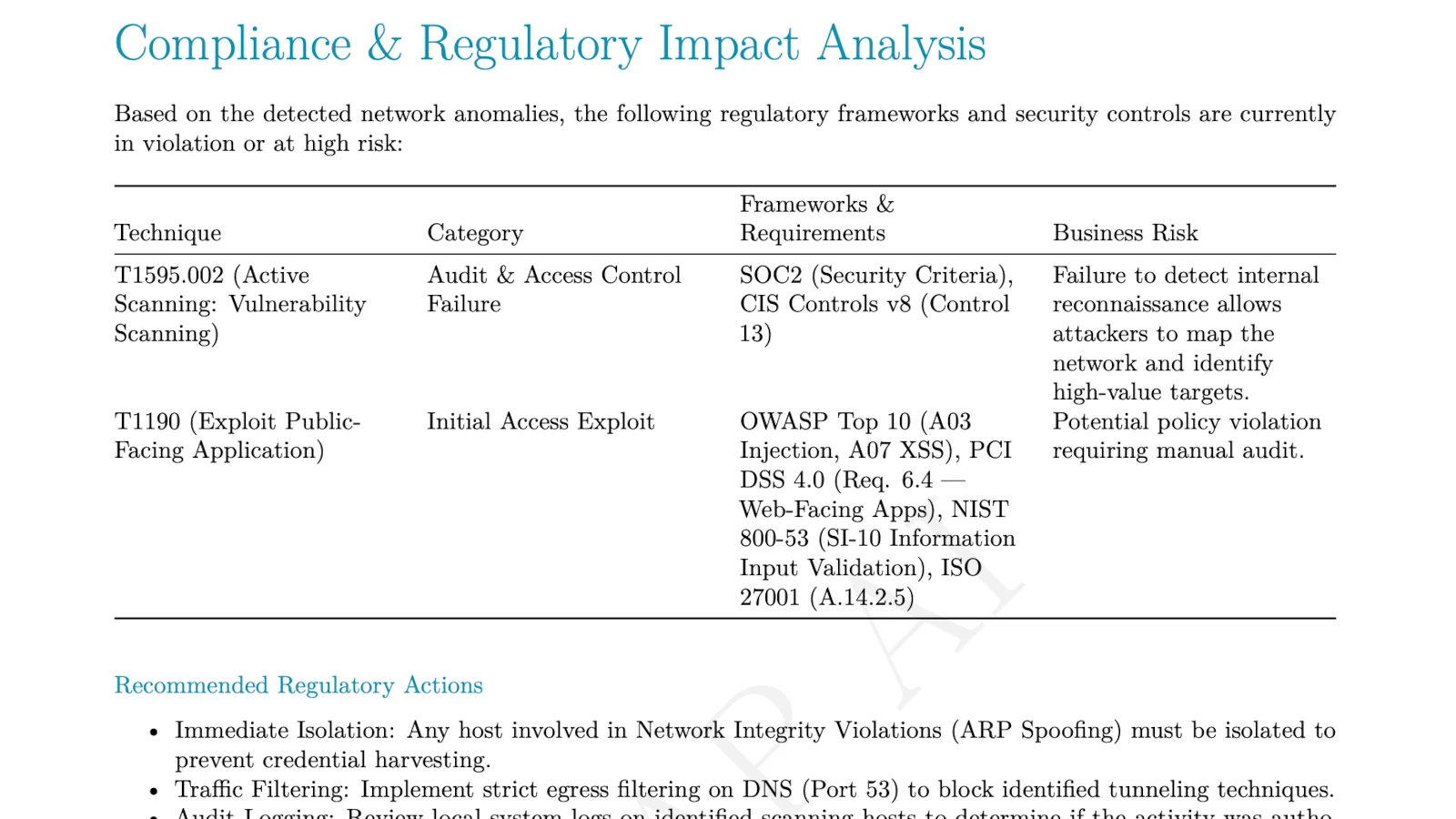
In Wireshark, filter for http.user_agent contains "sqlmap" to find the tool's distinctive User-Agent string, then manually inspect each stream for rapid repetitive SQL injection payloads from a single source IP. This works but is slow and misses variants that spoof their User-Agent. PcapAI flags scanner User-Agents such as sqlmap under MITRE T1595.002 and the injection requests themselves under T1190, whatever the User-Agent, and lists the controls to review.
Can PCAP analysis help with SOC2 or PCI-DSS compliance?
Yes, as evidence rather than a verdict. Firewall logs show what was allowed or blocked; a packet capture shows what actually crossed the wire: TLS versions in use, cleartext logins, scans and exploit attempts, with timestamps and frames. PcapAI's report lists the controls each finding touches in ISO 27001, NIST SP 800-53 and CIS Controls, plus PCI DSS v4.0.1 when your account's sector is a cardholder-data environment. SOC 2 is not mapped in the report, but the same evidence answers the monitoring and encryption questions auditors ask under the Trust Services Criteria.
Which PCI DSS requirements can PCAP analysis support?
PCAP analysis gives direct evidence for PCI DSS v4.0.1 Requirement 4.2.1 (strong cryptography for data in transit), Requirement 2.2 (secure configuration), Requirement 6.3 (security vulnerabilities identified and addressed) and Requirement 11.3 (vulnerabilities identified and managed). PcapAI lists the requirements each finding touches as controls to review, with the frames as evidence your QSA can verify.
What is the difference between SOC2 and PCI-DSS network requirements?
PCI-DSS is prescriptive — it specifies exact technical controls like TLS version minimums, firewall rule requirements, and prohibited protocols. SOC2 is principles-based — auditors assess whether your controls are suitably designed and operating effectively, with more room for interpretation. In practice, packet evidence helps with both: it shows whether encryption is enforced on the wire (PCI DSS) and what your monitoring should have caught (SOC 2). PcapAI maps findings to PCI DSS, not to SOC 2 criteria.
How often should compliance teams capture and analyze network traffic?
Most frameworks don't mandate a specific frequency for PCAP analysis, but best practice is to capture and analyze traffic at least quarterly, after any significant network change, and immediately following any security incident. PcapAI supports on-demand analysis — upload a capture whenever you need evidence, without scheduling or infrastructure overhead. For regular checks, the REST API (Advanced plan) uploads captures from scripts or CI pipelines and returns the PDF report.
Related Use Cases
Your next audit is closer than you think.
Upload a PCAP from your network now and see what an assessor would ask about — before they do.
Sample Report: Executive Summary