The Challenge: Blind Spots in Data Exfiltration
When an endpoint is compromised by an infostealer — AgentTesla, RedLine, or similar — the malware doesn't just steal credentials. It stages them, compresses them, and quietly ships them out over a protocol your firewall almost certainly allows: FTP on port 21.
For a SOC analyst watching high-level NetFlow logs, an outbound FTP session looks like noise. By the time anyone looks closer, the data is already on the attacker's drop server — and reconstructing exactly what was taken requires manually reassembling TCP streams in Wireshark, a process that can take hours on a large capture.
Standard network monitors flag outbound FTP connections but lack the deep packet inspection needed to recognize an unauthorized STOR command uploading a suspicious .zip archive to an external IP.
Tracking the compromised host, reassembling fragmented TCP streams, and carving out the stolen files are all manual steps — each one adding minutes to your MTTR while the breach scope grows.
"By the time our EDR alerts us to suspicious file staging, the data is usually gone. Manually filtering a PCAPNG to find the exact FTP session, extract the attacker's credentials, and verify what files were stolen takes my incident responders hours."
— Incident Responder, Managed Security Provider
The Solution: Automated Detection & Credential Recovery
PcapAI turns the attacker's poor OPSEC into your forensic advantage. Because the malware uses unencrypted FTP, every credential it sends to authenticate with its drop server is visible in the packet capture. Our engine finds it, extracts it, and maps the full exfiltration chain to MITRE ATT&CK — in seconds, not hours.
-
✦
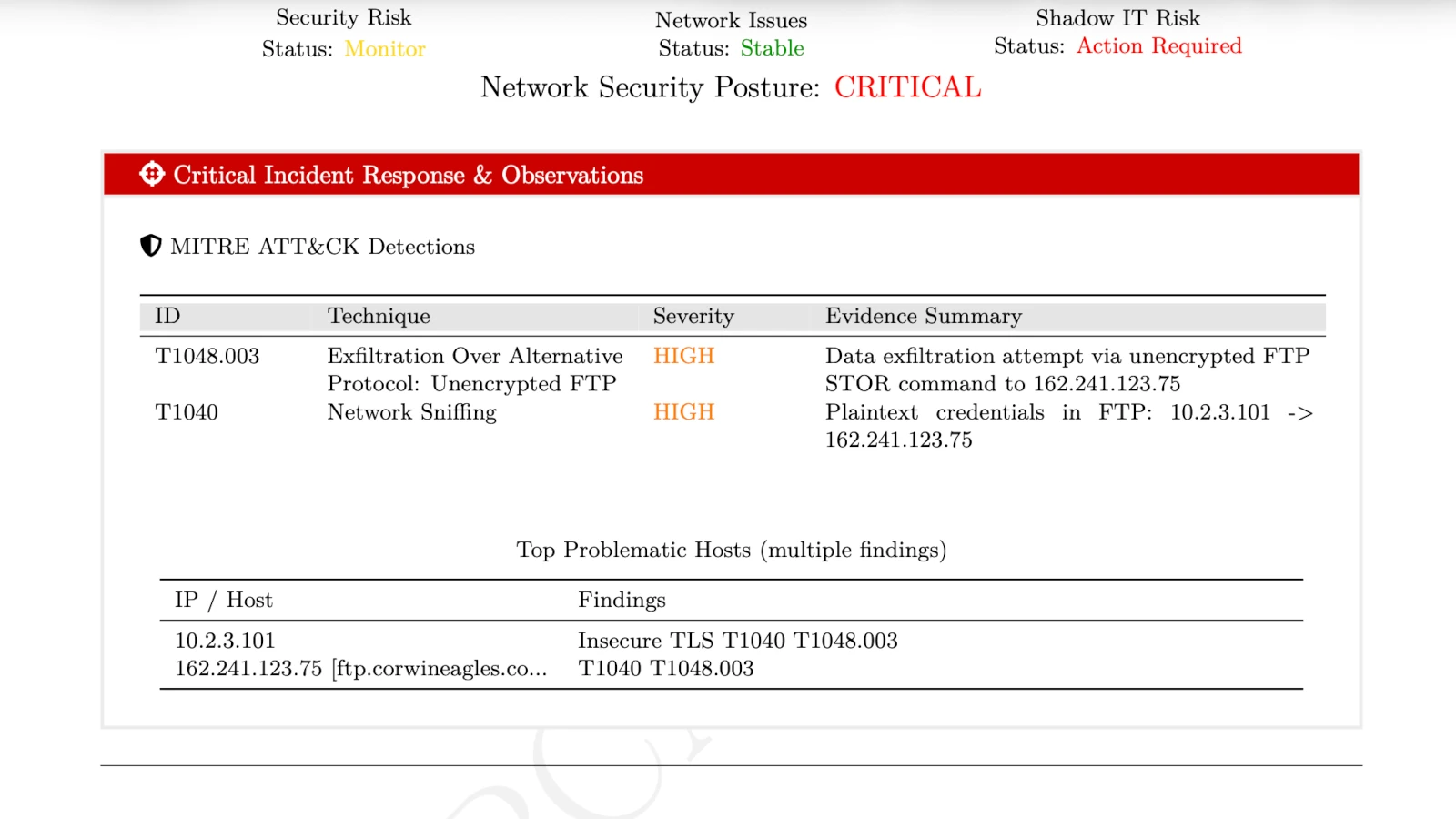
MITRE T1048.003 (Exfiltration Over Alternative Protocol): instantly detects the FTP
STORcommand uploading malicious archives (e.g.,Log_192.168.1.50.zip) to external IPs — with the exact source host, destination, and timestamp. -
✦
MITRE T1040 (Network Sniffing): automatically extracts the attacker's hardcoded
USERandPASScommands from the unencrypted FTP session — giving your incident responders the direct login to the drop server before the attacker rotates credentials. - ✦ Automated Payload Carving: maps the exact byte boundaries of the exfiltrated files without manual TCP stream reassembly — proving definitively what data left the network and when.
-
✦
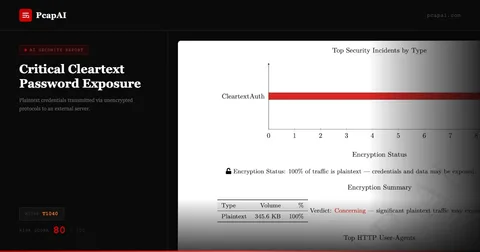
Enterprise-Grade Redaction: all recovered plaintext passwords and sensitive hostnames are automatically masked (e.g.,
P********3) in the final PDF report — keeping the finding auditable without exposing live credentials.
Wireshark Manual Analysis vs. PcapAI
Manual (Wireshark) — 1.5GB PCAP
Applying ftp.request.command == "STOR" filters, manually following TCP streams, and hex-carving the exfiltrated archive to verify contents. Process takes 1–3 hours.
PcapAI — 1.5GB PCAP
Automated MITRE T1048.003 mapping, drop-server IP extraction, masked credential recovery, and payload boundary identification. Process takes under 20 seconds.
How It Works
Upload Your PCAP
Drop any .pcap or .pcapng — from an EDR-triggered capture, a firewall mirror, or a network tap. No account required.
AI Reconstructs the Exfiltration Chain
Our engine parses every FTP command, reassembles TCP streams, extracts credentials, identifies the drop server, and maps the full attack to MITRE ATT&CK automatically.
Act Before the Attacker Pivots
Get the drop-server IP, masked credentials, stolen file names, and MITRE-mapped findings — ready to block, escalate, or submit to legal in one report.
Frequently Asked Questions
How do you detect FTP exfiltration in Wireshark?
Apply ftp.request.command == "STOR" to locate file upload attempts, then right-click and "Follow TCP Stream" to view the session. The credentials are visible in plaintext — but you still have to manually verify the transferred file contents by carving hex data from the FTP-data stream. PcapAI automates the full sequence: STOR detection, credential extraction, payload boundary mapping, and MITRE T1048.003 tagging — without any manual stream reassembly.
What is MITRE ATT&CK T1048.003?
MITRE ATT&CK T1048.003 describes adversaries exfiltrating data over unencrypted alternative protocols — most commonly FTP (port 21) or Telnet (port 23). Attackers prefer these protocols because they are frequently allowed through corporate firewalls without inspection, letting malicious file transfers blend into the background noise of legitimate business traffic.
Why do infostealers use FTP instead of HTTPS for exfiltration?
FTP is simpler to implement, widely allowed through firewalls, and requires no certificate management. Infostealers like AgentTesla and RedLine hardcode FTP credentials directly into the malware binary — which means the drop-server login is recoverable from any packet capture of the exfiltration session. This poor attacker OPSEC is exactly what makes FTP-based exfiltration so forensically valuable: the credentials are right there in the PCAP.
Can you recover what files were stolen from a PCAP?
Yes — if the exfiltration used an unencrypted protocol like FTP, the transferred file content is fully reconstructable from the packet capture. PcapAI identifies the exact byte boundaries of each uploaded file and maps the filenames from the FTP STOR commands, giving you a definitive list of what was taken and when. This is critical for breach scope assessment and GDPR/HIPAA incident reporting.
What tools detect FTP exfiltration automatically?
Network detection tools like Zeek and Suricata can alert on suspicious FTP STOR commands in real time, but require tuning and infrastructure. For post-incident forensics from a PCAP file, PcapAI automates the full analysis — detecting the exfiltration, extracting attacker credentials, carving file boundaries, and generating a MITRE-mapped report — in under 60 seconds with no installation or configuration required.
Related Use Cases
Try it with the original PCAP
The traffic analyzed in this case study was sourced from
malware-traffic-analysis.net.
Download the exact .pcap and run it through PcapAI yourself — or upload your own capture and see what's in it. Or view pricing for bulk API processing.
AI Analysis Output (Sample)